
Secure
Data centers built to meet national security standards across regulated industries.

Connect, built for AppFolio Property Manager
Connect links SimpleVoIP's cloud phone system with AppFolio Property Manager. The matching tenant, owner, or vendor record opens when the phone rings, and an AI-written summary is saved after every call.*
Get a quoteOfficial AppFolio Stack™ App Partner. Fully managed. 60-day satisfaction guarantee.
Darnell Brooks
Owner, 3 properties, Westgate Portfolio
Find Connect in the AppFolio Stack™ Marketplace. Calls, texts, and AI notes flow straight into AppFolio Property Manager.
Connect makes sure of it from day one. Dial straight from any record. Know who's on the line before you pick up. Let AI write the recap and file it on the right tenant, owner, or vendor while you move on to the next call.
Nothing to remember to log. Nothing slips through.
Call in progress
Tell us about your team, and we'll walk you through a live demo built around the way you already work.
Backed by a 60-day satisfaction guarantee.
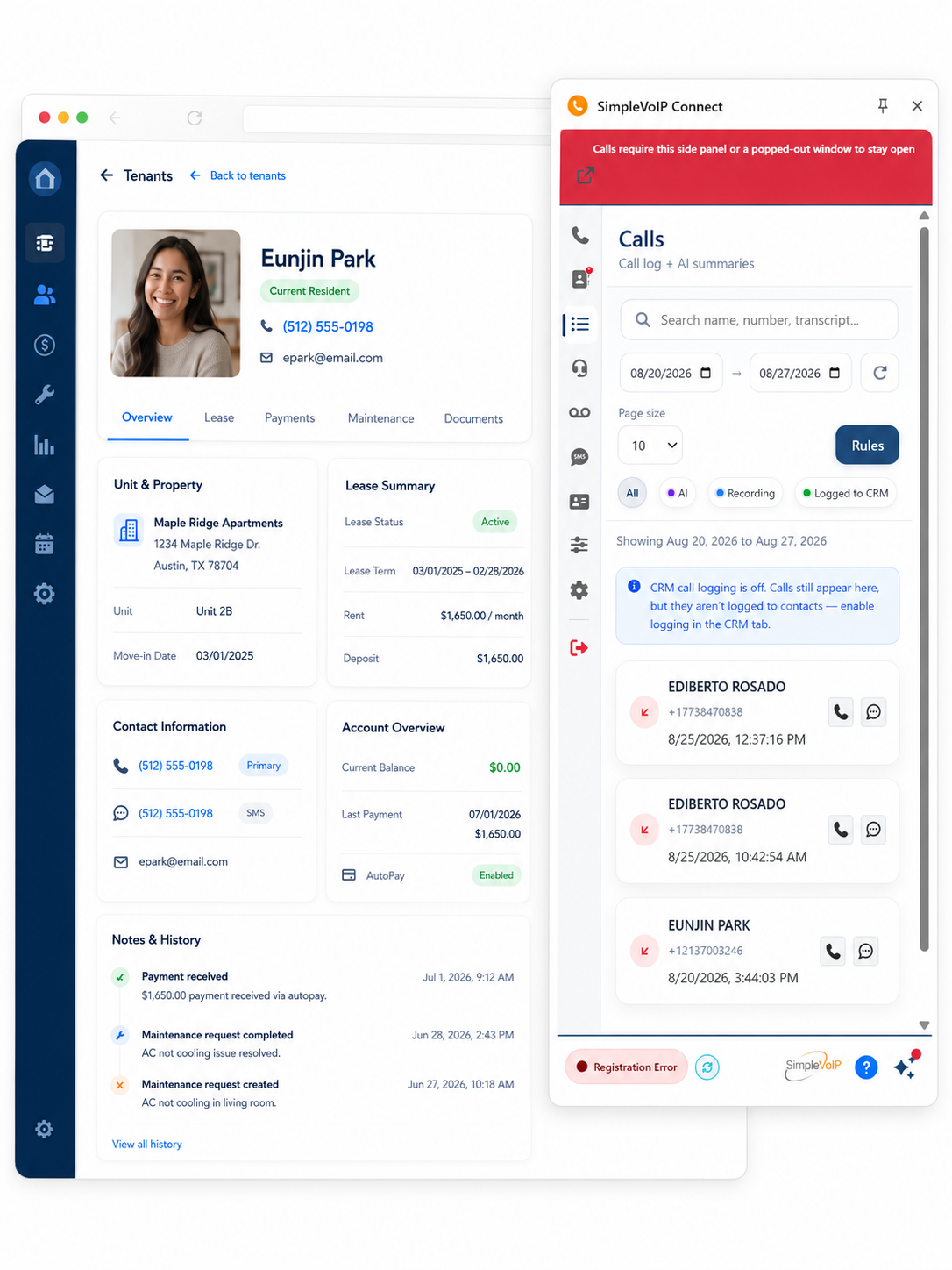
Caller ID that goes deeper. The moment the phone rings, the matching AppFolio record is on screen with unit, lease, and history. Skip the "who am I speaking with?"
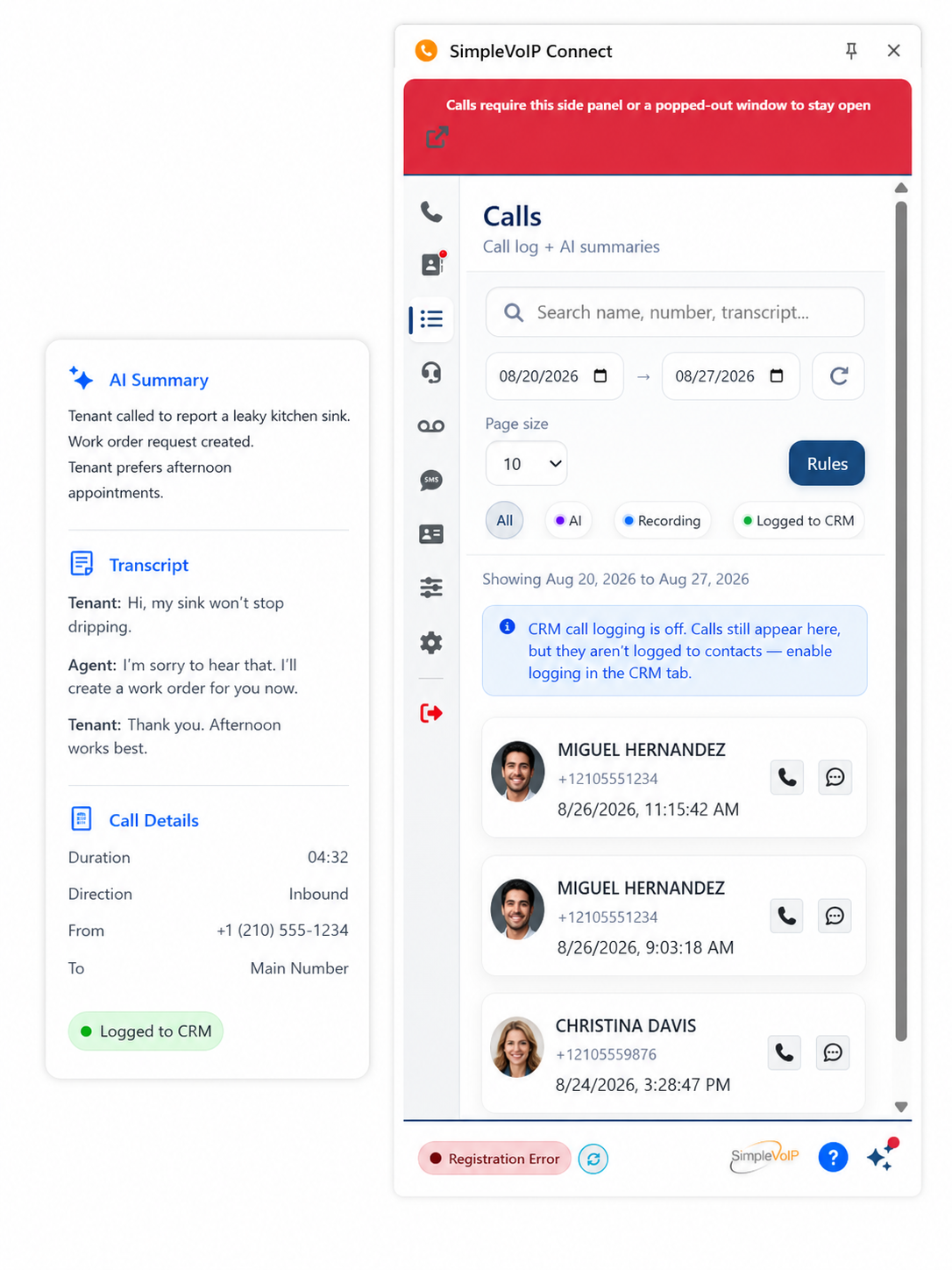
Calls are recorded, transcribed, and summarized by AI, then saved as a note on the right record. Less typing after every call, more time for the next one.
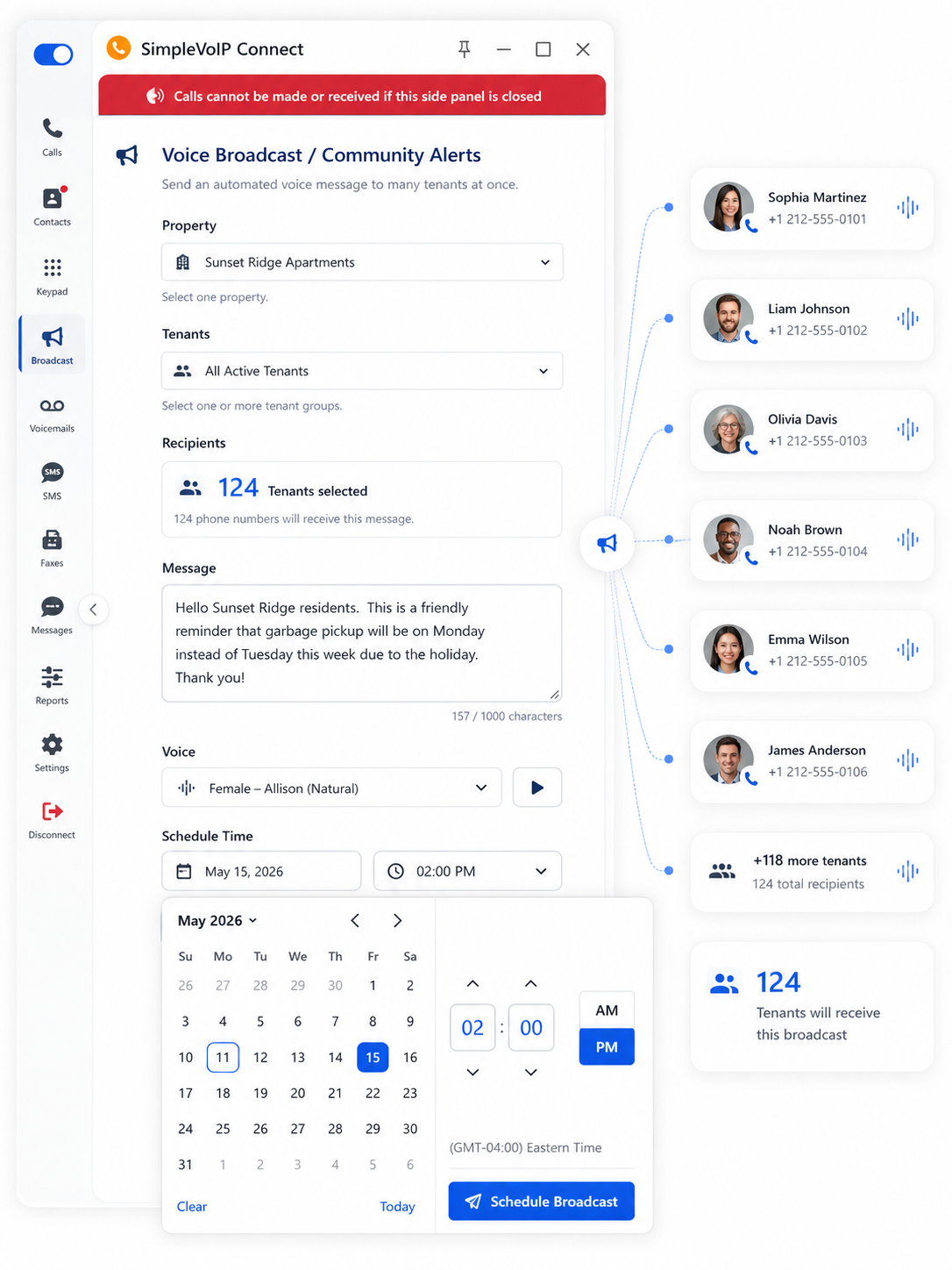
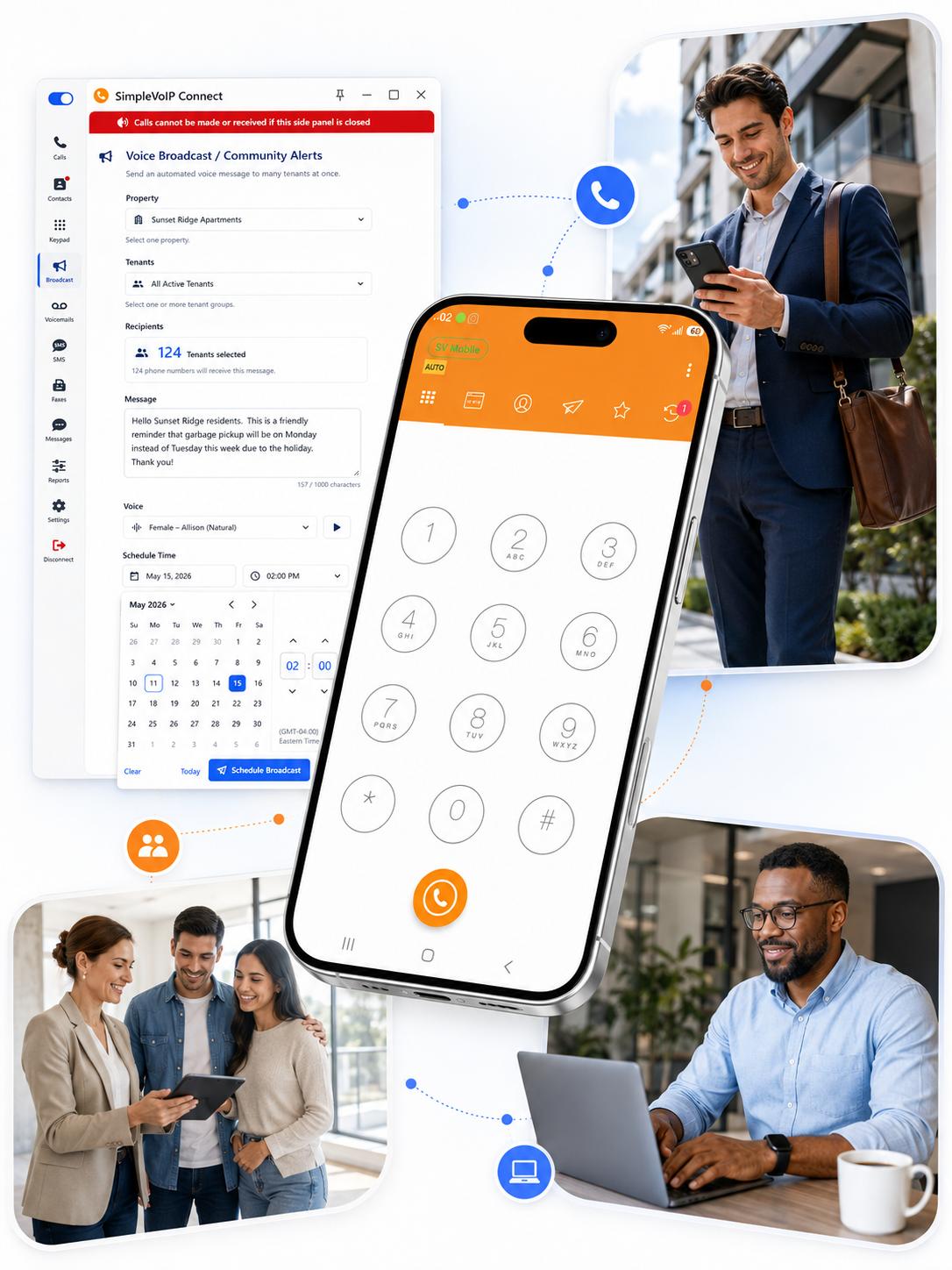
Pool closed for repairs? Parking lot getting repaved? Send one voice broadcast to tenants, recorded in your own voice or AI-voiced, and everyone gets the word.
Here's how a call plays out with Connect running alongside AppFolio Property Manager in Chrome or Edge.
Connect finds the tenant, owner, or vendor in AppFolio by their phone number.
The right AppFolio record is on screen before you answer, history and all.
Recording and transcription run quietly in the background. Your hands stay free.
An AI summary is saved as a note on the record. Missed calls are logged as well.
Connect sits on a complete cloud phone system with auto attendants, ring groups, after-hours workflows, desk phones, and mobile apps. Our team designs it, provisions and tests every phone, sets up your APM integration, trains your staff, and stays on as your support team. Your people stay focused on residents.
Data centers built to meet national security standards across regulated industries.

New property, new hire, new line? Scale up without starting over.

VoIP specialists who know the platform inside and out, on your side.

Failover across every data center keeps you at 99.999% uptime.

Our white-glove team handles setup, so your phones arrive ready to use.

Hands-on training that gets your team comfortable quickly.
Straight answers on setup, recording, mobile, and more. Still curious? Read the full Connect FAQ.
Get a quoteConnect embeds into your AppFolio workflow through a Chrome or Edge extension and the SimpleVoIP mobile app. When a call comes in, the matching tenant, owner, or vendor record loads in your browser. When you call from AppFolio, it routes through SimpleVoIP so the interaction can be logged. Calls, AI summaries, and recordings (if enabled) attach to the right record automatically.
If the number matches a contact in AppFolio, their record opens automatically. Your team sees who's calling, their property details, and prior history without searching. The call is logged to the record, and AI-generated notes can be added based on your settings.
The call is handled normally and recorded if enabled. Unknown callers aren't automatically logged into AppFolio yet, but recordings and AI summaries stay available in SimpleVoIP. Future updates will add the option to create new guest records automatically.
Yes. Unanswered calls still show up in AppFolio, so your team can see who reached out and call them back.
Yes. Recording and AI transcription can be turned on or off. Recordings are deleted automatically after one year, or you can provide your own Amazon S3 storage for longer retention. Recording disclosure requirements vary by state, and customers are responsible for any required disclosures.
Choose inbound, outbound, internal, all calls, or none during onboarding or anytime after. You can also toggle recording in the Connect dial pad settings on desktop and mobile. Settings apply before a call begins; recording can't be switched on or off mid-call.
Standard deployment is about two weeks after kickoff. Number porting usually takes 7 to 10 days once documentation is submitted. More complex implementations can take 4 to 6 weeks.
Yes. If the service isn't a fit within the first 60 days, you can cancel without penalty.
All standard reporting is included at no extra cost: call volume, team performance, missed calls, trends over time, and exportable reports. We can also set up executive summaries delivered daily, weekly, or monthly.
Yes. AI call summaries and sentiment analysis are included.
Yes. With the SimpleVoIP mobile app set as the default dialer, inbound and outbound calls are logged to AppFolio. Click-to-call and screen pops inside AppFolio work in the desktop browser extension.
Yes. Connect supports one-to-one SMS, and conversations can be logged to the matching contact record. A shared SMS inbox is available, and onboarding helps configure delivery rules.
Yes. Port as many numbers as you need, including direct employee numbers and main business lines.
Bring your toughest phone day. We'll show you how it looks in AppFolio with every call on the record.
*AI features process call and voicemail audio only; data from Google APIs is never used with AI/ML. AppFolio and AppFolio Stack are trademarks of AppFolio, Inc.